For IT leaders and architects

Visualize your infrastructure and make it AI-ready.

Assess your infrastructure for free, then AI-enable your environment step-by-step with OneIQ ICG.

No data leaves your environment
No agents installed on endpoints
No firewall changes required
Read-only by default

Works across your existing stack

VMware Nutanix AHV Hyper-V AWS Azure Kubernetes Red Hat OpenShift Windows Linux Physical / bare metal

Buyer / IT-pro workflow

You're in control.

Four steps, at your pace, with nothing leaving your environment along the way. Nobody knows your infrastructure better than the team that runs it - which makes it the lowest-risk place to run your first AI project, before extending it anywhere else.

Step 1

Download

Get the OneIQ collector and install it inside your own environment - nothing calls home.

Step 2

Begin talking to infrastructure

Ask your first question and watch OneIQ ICG resolve it against real, live telemetry.
Step 3

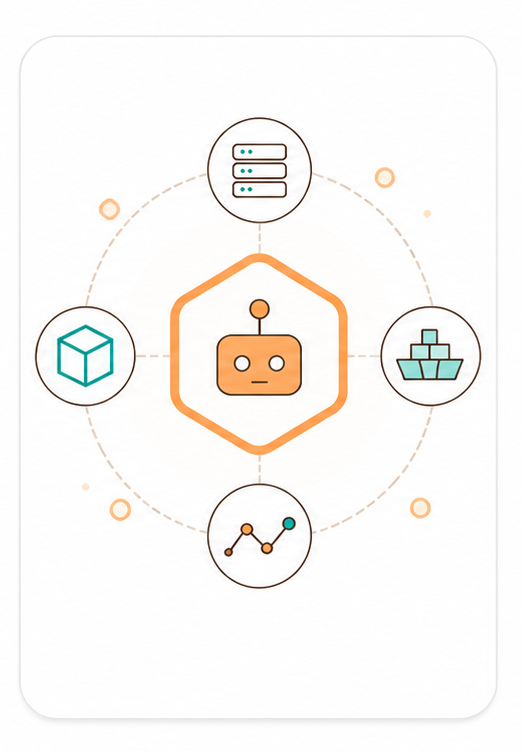
Build your first Agent Zone

Define exactly what one AI agent can see - a cluster, a fleet, or a single metric.
Step 4

Connect preferred AI model

Query an anonymized zone with any frontier model to see AI reasoning over your own estate.

Download

Giving IT Infrastructure a Voice

AI QUERY
AI
Thinking...
ANSWER
Here is your total infrastructure cost per business unit.
Business UnitTotal Cost (USD)
Finance$4.32M
Retail Operations$7.81M
Engineering$6.24M
IT Services$5.17M
Human Resources$1.23M
✓ Query completed10:24 AM
OneIQ
OneIQ ICG
COMPUTE
4,212 hosts
VIRTUAL
38,904 VMs
STORAGE
1,377 LUNs
NETWORK
210k flows
CLOUD
multi-region

Agent zones

AI sees exactly what you configure it to see. Nothing more.

Agent zones are access boundaries you define. Each zone controls which AI agents can query which parts of your estate, what data those queries can return, and how long the zone stays active. Your team configures zones. Your team revokes them.

Zone Purpose What the AI can access What is excluded
win-nutanix All Windows VMs on the Nutanix cluster OS build, patch level, uptime, VM-to-host placement Linux fleet, ESX cluster, storage arrays, credentials
linux-esx All Linux VMs on the ESX cluster CPU and memory utilisation, VM count, cluster headroom Windows fleet, Nutanix cluster, application data, credentials
dr-site Everything at the DR site, and nothing at production Replication lag, RPO/RTO metrics, last failover test result Production site, financial data, user identities
dmz-web Web tier VMs in the DMZ only OS patch level, open ports, CVE exposure Internal app tier, database tier, credentials
finance-vlan Hosts on the Finance VLAN, for a segmented audit Configuration baseline, patch compliance, change history Other VLANs, user activity logs, application data

Zone definitions are fully configurable. The examples above are illustrative defaults — your team defines the exact scope of each zone during deployment.

Agent Zones

Governance over what AI can see.

An Agent Zone scopes an agentic service to exactly the infrastructure it needs — so any LLM or copilot gets a governed, answer-shaped conversation instead of unrestricted estate access.

Read-only Customer-controlled Named & scoped Auditable
See Use Cases →
Agent Zone 01
Patch & inventory bot · All Windows machines
sees: 3,480 Windows hosts
eos_hosts: 189
critical_cve: 34 hosts
blind to: Linux fleet, app data, cost figures
scope: all Windows machines only · read-only · ~600 tokens
Agent Zone 02
VM ops copilot · Nutanix cluster
sees: 1 Nutanix AHV cluster, 96 VMs
at_risk_hosts: 2
headroom: 18% (30d ↓)
blind to: other hypervisors, other clusters
scope: Nutanix cluster only · read-only · ~600 tokens
Agent Zone 03
Capacity planner · HW + VM scoping
sees: 1 rack — hosts and their VMs
hw_hosts: 12
vms_hosted: 214
blind to: other racks, storage arrays, network fabric
scope: rack-scoped, HW+VM layer only · read-only · ~600 tokens
Agent Zone 04
Anonymous agent zone · benchmarking
sees: de-identified estate metrics only
hosts_covered: 4,212 (anonymized)
identifiers_removed: hostnames, IPs, owners
blind to: any identifying detail, credentials, live telemetry
scope: fully anonymized, aggregated only · read-only · ~600 tokens

Platform compatibility

Works with the stack you already have. No rip-and-replace.

OneIQ ICG connects to your existing management plane APIs. It does not replace your monitoring tools, your hypervisor management, or your cloud consoles. It sits alongside them, reading the signals they already expose.

VMware Nutanix AHV Hyper-V AWS Azure Kubernetes Red Hat OpenShift Windows Linux Physical / bare metal

OneIQ ICG is OEM-neutral. It surfaces consistent, normalised context regardless of which combination of platforms makes up your estate — hybrid, multi-cloud, or entirely on-premises.

Advanced infrastructure planning

Walk into your next vendor meeting with a clear picture of your estate.

A free OneIQ Assessment gives you a real, current view of your estate, including lifecycle status, capacity headroom, and licensing exposure, before you sit down with any vendor. Ask better questions, get more out of the conversation, and make the most of your partner's expertise.

Proof of concept

Under 30 minutes to your first result. No procurement required to start.

The PoC is designed to run inside your environment on your schedule. No vendor access. No staged demo environment. Your infrastructure, your data, your result.

01

Deploy OneIQ ICG on any host

Pull the container image or download the binary. Run it on any VM or bare metal host inside your environment. No inbound firewall rules needed — OneIQ ICG only makes outbound calls to your management plane APIs.

~5 min — single command
02

Connect one data source

Add read-only credentials for one platform — your primary hypervisor or cloud environment. OneIQ ICG will begin normalising context immediately. You do not need to connect your full estate to see value.

~5 min — credentials and endpoint only
03

Run your first AI query

Connect any MCP-compatible AI agent or use the built-in test interface to run a query against your estate. Capacity risk, lifecycle flags, or idle resource identification — your choice.

~5 min — first contextualised result
Ready when you are

No procurement, no vendor access, no staged demo — just your environment and about 15 minutes across the three steps above. A solutions engineer can walk through it with you live, or hand you the binary and get out of your way.

Download

Security brief

Forward this to your CISO or manager.

If you need to bring someone else into the approval conversation, this one-page brief covers the deployment model, data handling, and access controls in the language your security team expects.

  • Deployment architecture and data flow
  • Data residency: what stays in perimeter, what doesn’t leave
  • Access control model: zones, credentials, audit logging
  • No vendor access to your environment or data
Request the security brief →
deployment_model: "on-premises infrastructure context gateway (MCP)"
data_egress: false
endpoint_agents: false
firewall_changes: false
credential_type: "read_only"
vendor_access: false
audit_log: true
zone_revocation: "immediate"
data_retention: "configurable"

Ready to evaluate

Deploy in your environment and see real results in under 30 minutes.

Talk to a solutions engineer who can walk through the deployment with your specific stack and security requirements.

Download